Press esc. or click anywhere outside to close the search bar.
How to read this page
Every capability below carries one of six status labels, and we use them literally.
The label is written out in words, so it reads the same whether or not you can see colour.
What each availability label means
Implemented
Available now on your account.
Beta
Available now, still being validated — behaviour may change during the beta.
Limited Availability
Available, but we set it up for you — there is no self-service path yet.
Planned — Not Available
Not available to anyone today. On the roadmap.
Not Offered
We do not provide this, and there is no committed plan to.
Deprecated
Still works for existing users, but superseded — not the path we recommend.
Affected By A Known Problem
Reachable, but a known problem is affecting it right now. We say what, and we do not present it as working normally.
Built is not shipped. A capability appears here as available only when it
is running in production and reachable by a customer. Anything we have written but not
deployed is Coming Soon, and we will not demonstrate it as though it were live.
What the platform does
Each area below solves a specific problem. You do not have to take all of them — your
invitation says which ones your organisation has, and after you sign in Your Access shows exactly what is enabled for you.
Your RogueLogics account Plan and setup requirements apply
The problem: Every security tool has its own login, and nobody knows who has access to what.
One sign-in, one organisation, and one place to see what your team can reach across the whole suite.
The release update below describes qualified workflows. The beta package does not automatically include every paid capability.
Outside the beta package or pending qualification:Your access page, Hosting outside the United States, Member organization intelligence. These entries are not promised by the beta package; development and provider-qualification limits still apply.
Release update — plan and configuration requirements apply.
One workspace for the connected security program
Navigate organization intelligence, application access, marketplace activity and security findings through the platform hub. Authoritative organization and subscription controls govern access across modules.
Purchased AI generation credits are tracked separately from assessment allowances. Grants follow paid invoice periods, and usage is recorded through reservation, capture and release.
Completed assessment workflows retain their authorization controls. State-program workflows remain in development; test contracts do not enable production purchasing.
Release update — plan and configuration requirements apply.
Connected evidence, reviewed AI and scoped operations
Bring organization intelligence, marketplace delivery, SOCaaS operations, awareness training and AI security assessment into a connected security program.
Follow evidence from collection through review, risk treatment and retesting. Source provenance, tenant permissions and unknown coverage remain visible across the workflow.
Feature availability depends on the selected plan, configured integrations and approved assessment scope. Explore the platform and beta overview for capability-specific limits.
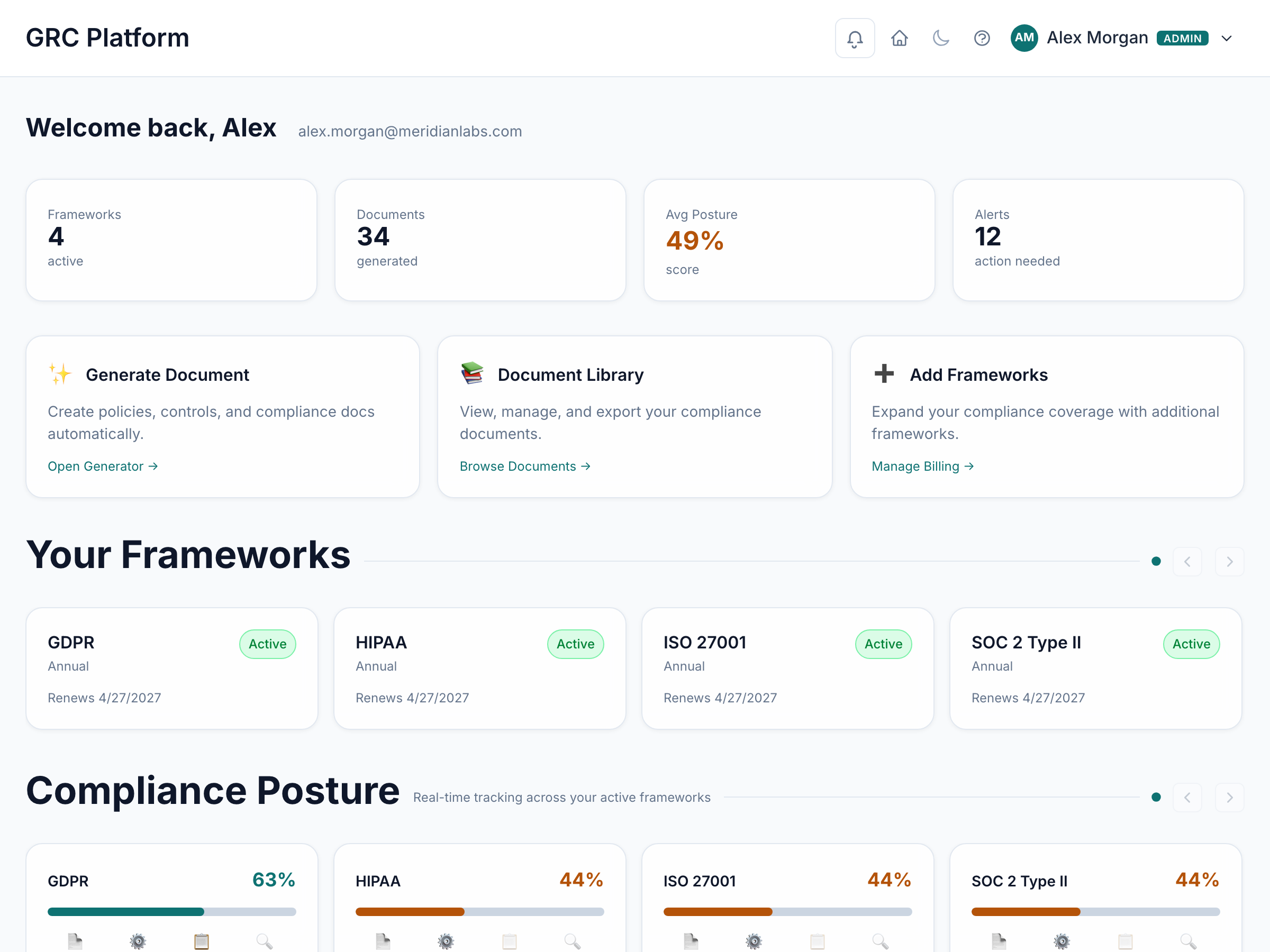
ClearTrust — Compliance & audit readiness Plan and setup requirements apply
The problem: An auditor or a customer asks for evidence and it takes weeks to assemble from spreadsheets and screenshots.
Track your controls against the frameworks you are held to, collect the evidence as you go, and produce it on demand.
ClearTrust — Compliance & audit readiness in the product.
The release update below describes qualified workflows. The beta package does not automatically include every paid capability.
Outside the beta package or pending qualification:Governance document preparation, Vendor AI disclosure review, Controlled organization evidence sharing, AI Security: governance and compliance evidence. These entries are not promised by the beta package; development and provider-qualification limits still apply.
Release update — plan and configuration requirements apply.
Evidence, documents and delivery in one workflow
Manage marketplace proposals, negotiated terms, assignments and delivery reviews with role-controlled financial visibility. Share assurance documents through versioned access, NDA and review workflows.
Use ISO 13485:2016 original implementation guidance alongside your licensed standard. Guidance supports preparation; it does not reproduce the standard or establish certification.
AI-generated drafts stay separate from approved documents and require independent review before publication. State-program workflows remain in development while jurisdiction content and provider qualification are completed.
CommandShield — Security programme & third-party risk Plan and setup requirements apply
The problem: There is no written security programme, and vendor questionnaires are answered from memory.
Run the security programme itself — risks, policies, roadmap and vendor due diligence — in one place.
The release update below describes qualified workflows. The beta package does not automatically include every paid capability.
Outside the beta package or pending qualification:AI Security: risk and executive reporting. These entries are not promised by the beta package; development and provider-qualification limits still apply.
Release update — plan and configuration requirements apply.
Organization intelligence with source context
Bring free public organization evidence into your security program with source attribution, freshness and coverage indicators. Private and public organizations are supported; unavailable evidence remains visible as a coverage gap.
Authorized administrators can record confirmed corrections while the original public evidence is retained. Resumable collection jobs preserve progress and report source failures.
Connect confirmed AI assessment findings to your risk workflow and follow them through review and treatment.
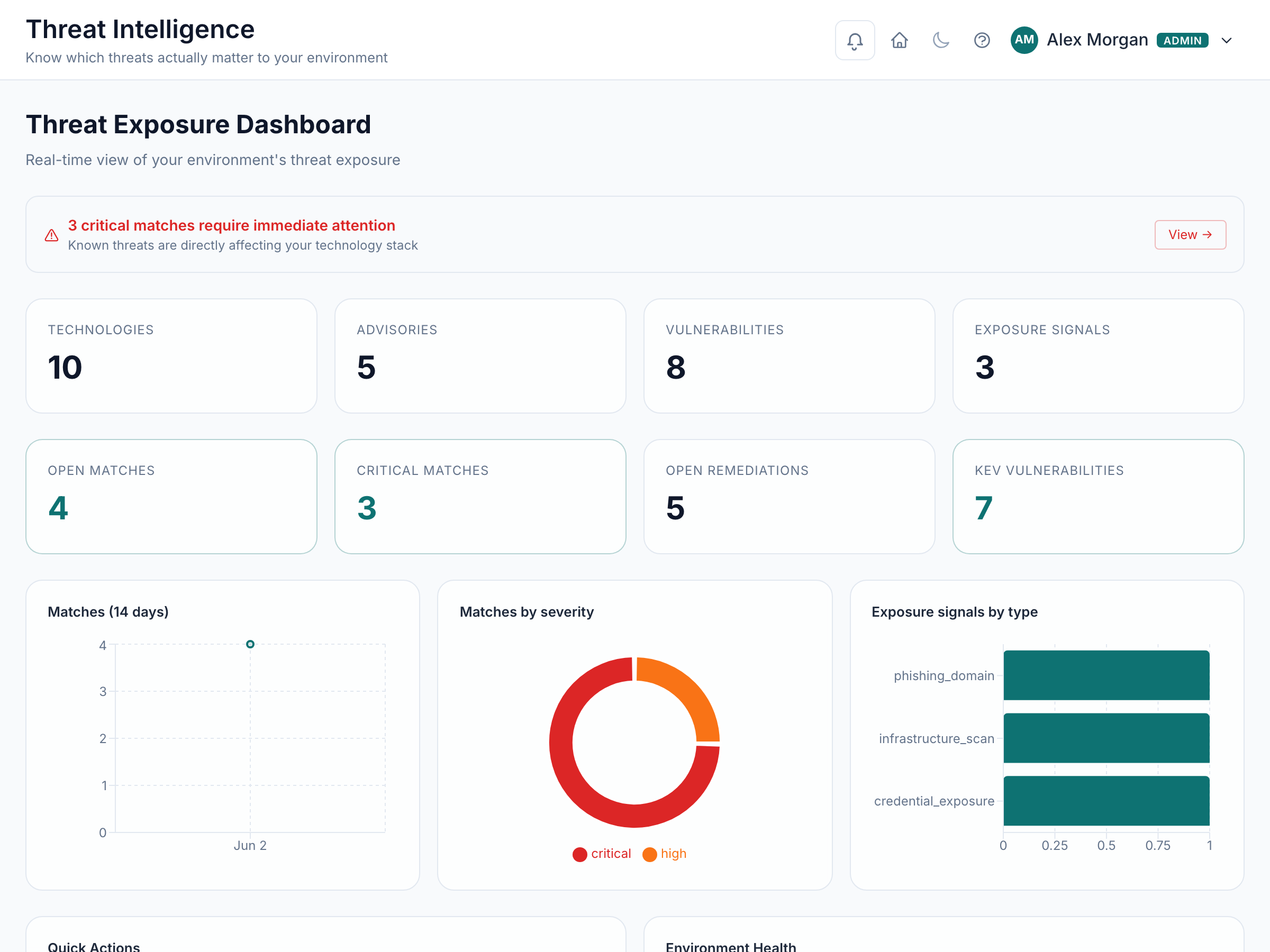
ThreatWatch — Threat & vulnerability intelligence Plan and setup requirements apply
The problem: Advisories arrive constantly and nobody can tell which ones touch the software you actually run.
Match public vulnerability and threat intelligence against your own inventory, so you only chase what applies to you.
ThreatWatch — Threat & vulnerability intelligence in the product.
The release update below describes qualified workflows. The beta package does not automatically include every paid capability.
Outside the beta package or pending qualification:Dark-web and credential-exposure monitoring, AI Security: threat monitoring context. These entries are not promised by the beta package; development and provider-qualification limits still apply.
Release update — plan and configuration requirements apply.
Intelligence updates that preserve analyst decisions
Refresh public advisory and vulnerability signals with dated source evidence and visible source quality. Bounded jobs retain progress across retries.
Match intelligence to registered technologies and versions, then connect relevant evidence to bounded reassessment workflows. Analyst dismissal and suppression decisions are preserved during refresh.
Unknown version or provider coverage stays unknown; advisory matches do not prove exploitability in your environment.
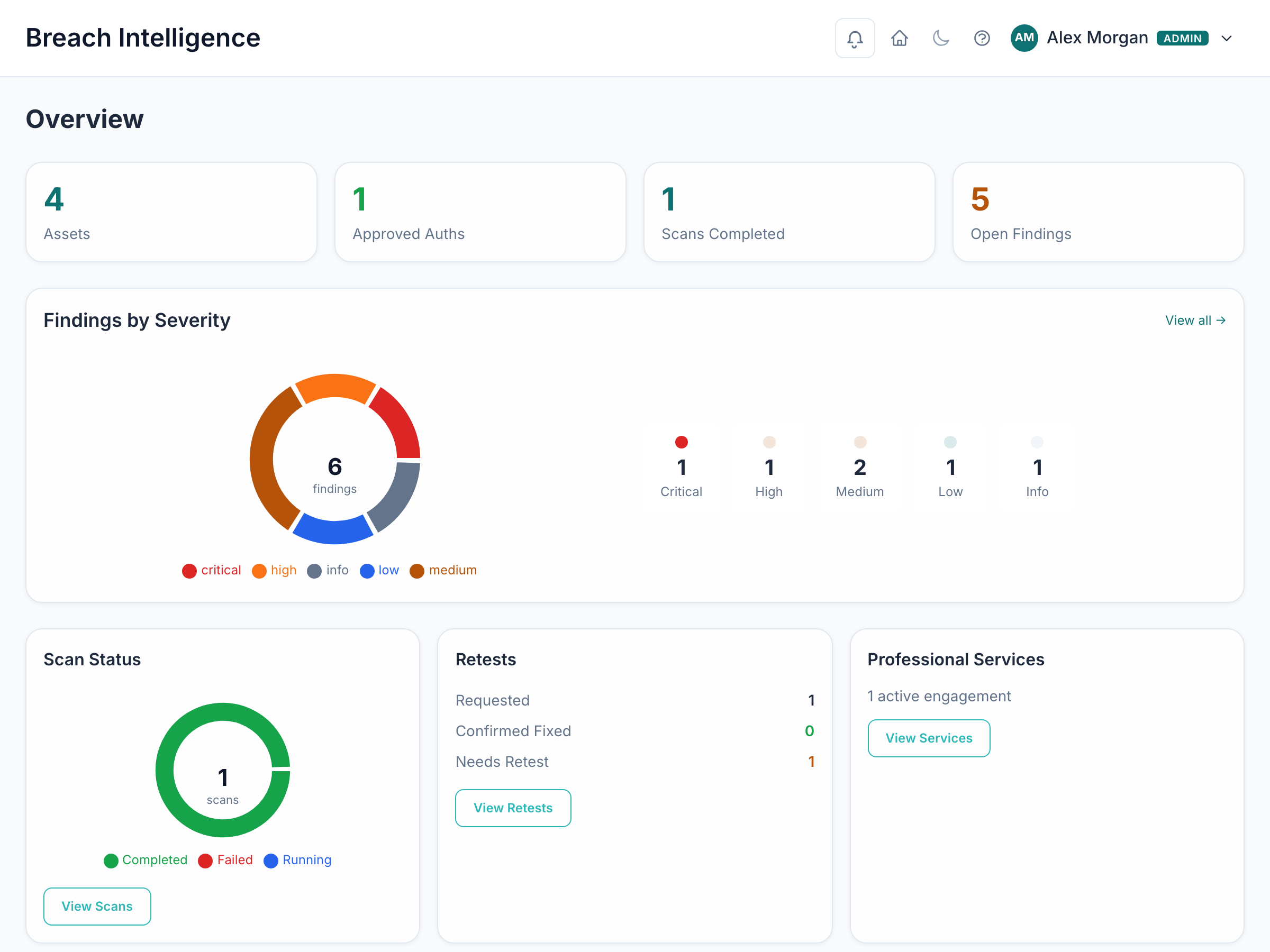
BreachLens — External exposure Plan and setup requirements apply
The problem: You do not know what an attacker sees when they look at your domains from the outside.
Scan your internet-facing footprint — domains, certificates, services, email security — and get a prioritised report.
BreachLens — External exposure in the product.
The release update below describes qualified workflows. The beta package does not automatically include every paid capability.
Outside the beta package or pending qualification:AI Security: assessment findings and validation evidence. These entries are not promised by the beta package; development and provider-qualification limits still apply.
Release update — plan and configuration requirements apply.
Exposure findings with bounded assessment coverage
Combine exposure evidence with authorized native assessment workflows, review findings and request a retest of the exact affected scope.
See the distinction between observed findings, unavailable engine coverage and unknown remediation status. A partial assessment does not imply complete coverage or a verified fix.
AI endpoint discovery produces candidates for review. Discovery alone does not verify ownership or authorize active testing.
SentinelOps — Detection & response Plan and setup requirements apply
The problem: Alerts land in a mailbox and there is no record of what was done about them.
Collect alerts, group them into incidents and cases, and keep an auditable record of the response.
The release update below describes qualified workflows. The beta package does not automatically include every paid capability.
Outside the beta package or pending qualification:24×7 managed detection & response, AI Security: operational response context. These entries are not promised by the beta package; development and provider-qualification limits still apply.
Release update — plan and configuration requirements apply.
SOCaaS with explicit customer scope
Coordinate provider and agency operations through scoped customer grants, onboarding, adapter health, federation and audit records. Customer authorization and revocation govern collection access.
Configured provider adapters bring their own credentials and coverage. An unconfigured integration is shown as unavailable; it is not represented as monitored.
Receive reviewed AI security findings as clearly labeled simulations for analyst workflows. Analyst services and external provider coverage remain subject to the agreed service arrangement.
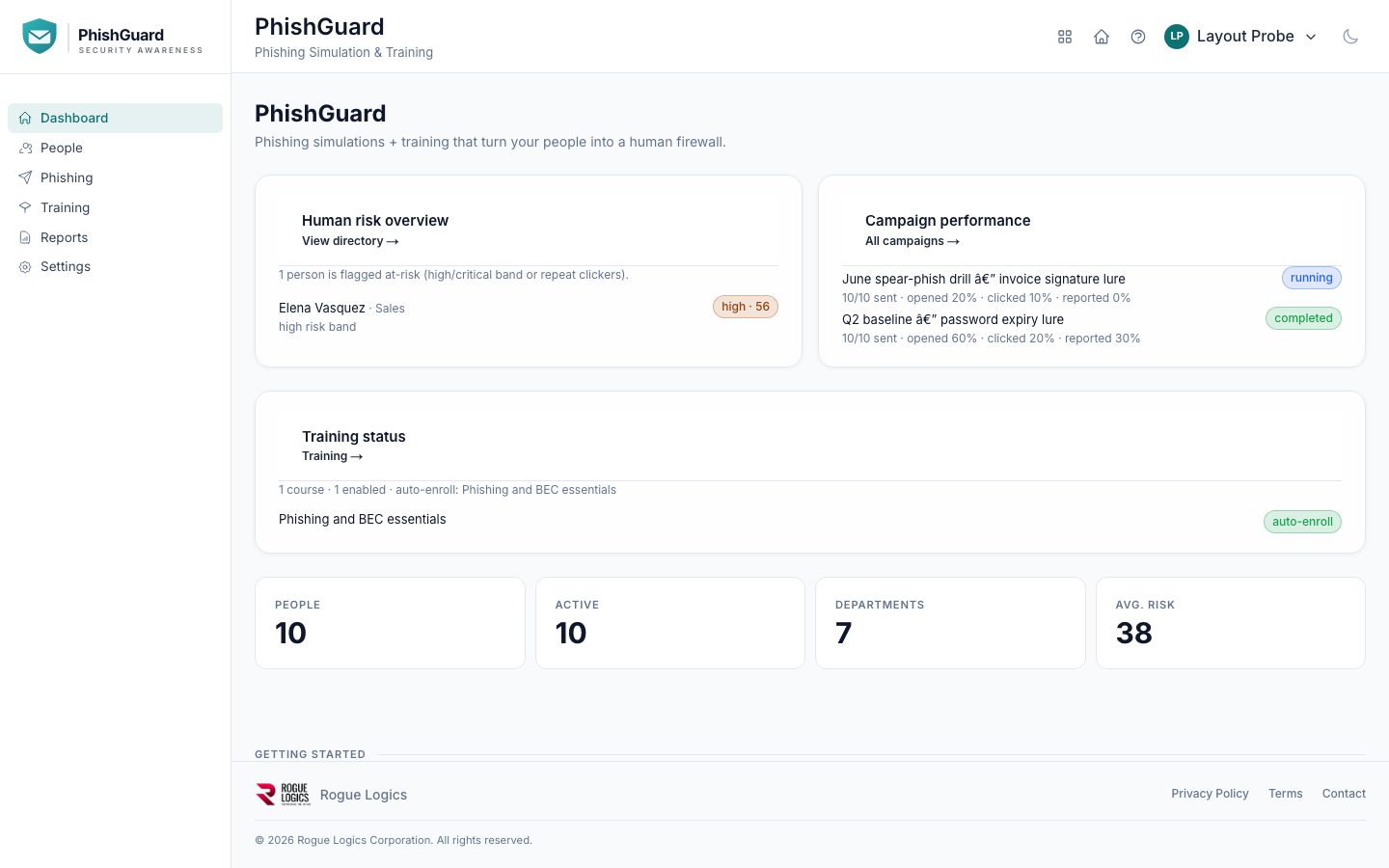
PhishGuard — People & phishing Plan and setup requirements apply
The problem: Staff are the most-targeted way in, and training is an annual slide deck.
Run realistic phishing simulations, assign short training, and see which teams need help.
PhishGuard — People & phishing in the product.
The release update below describes qualified workflows. The beta package does not automatically include every paid capability.
Outside the beta package or pending qualification:Voice (vishing) simulation. These entries are not promised by the beta package; development and provider-qualification limits still apply.
Release update — plan and configuration requirements apply.
Training that follows review and learner progress
Prepare private- and public-sector awareness content, review courses independently and deliver approved training to learners. Track enrollment, completion and reporting across the learning workflow.
Durable media generation and repair jobs use explicit budgets and retry records. Existing enrollments remain attached to their courses.
Voice simulation remains unavailable pending approval. Generated content is reviewed before use; generation credits and delivery configuration are explicit.
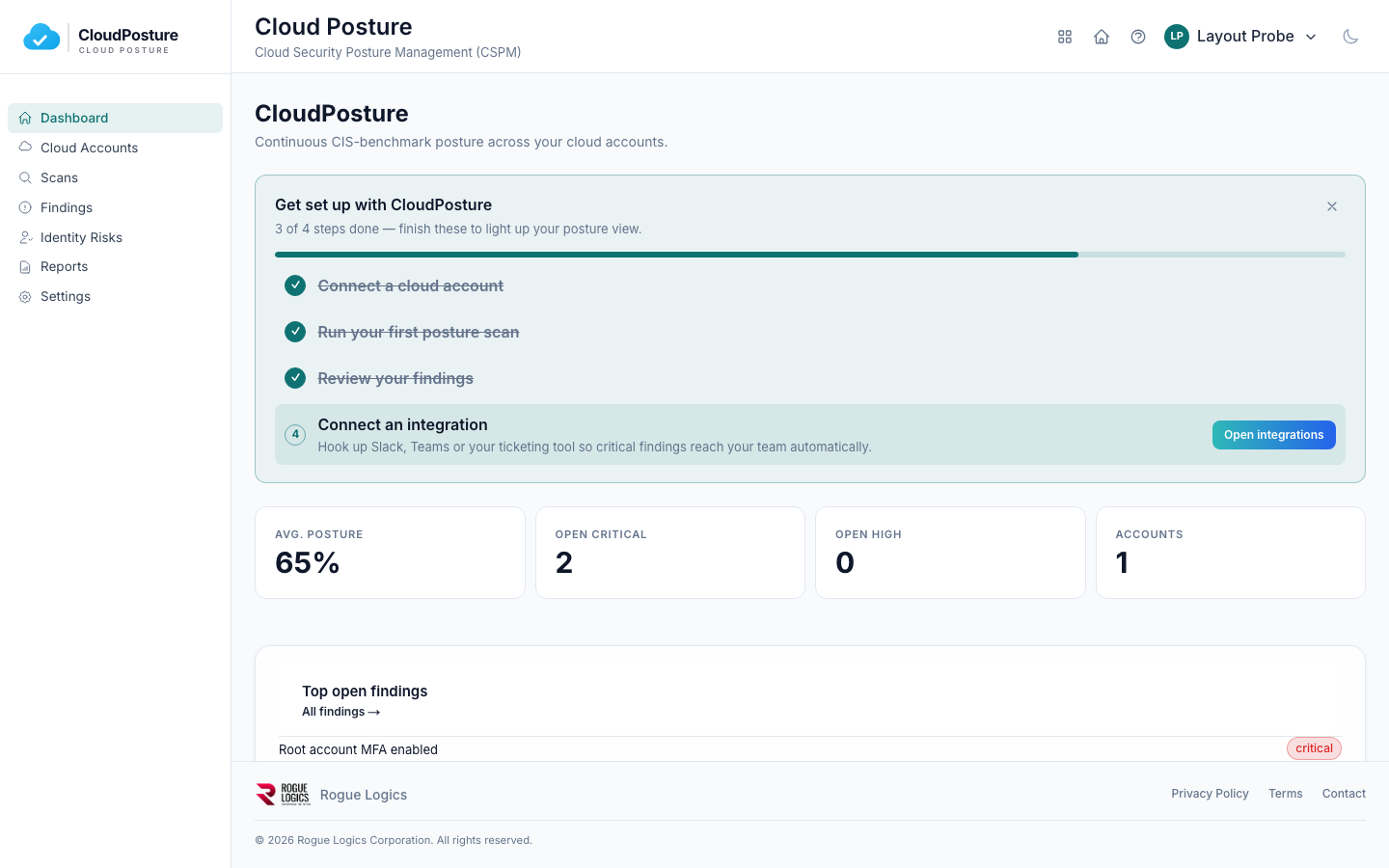
CloudPosture — Cloud configuration Plan and setup requirements apply
The problem: Cloud accounts drift, and a single public bucket or over-broad role is easy to miss.
Connect AWS, Azure or Google Cloud and check the configuration against recognised benchmarks.
CloudPosture — Cloud configuration in the product.
The release update below describes qualified workflows. The beta package does not automatically include every paid capability.
Outside the beta package or pending qualification:AI Security: cloud posture context. These entries are not promised by the beta package; development and provider-qualification limits still apply.
Release update — plan and configuration requirements apply.
Cloud assessment with transparent coverage
Review normalized findings and evidence from configured AWS, Azure and Google Cloud sources. Coverage and remediation status remain explicit when a source is unavailable or an outcome cannot be verified.
Follow bounded assessment jobs and retest the exact resource scope after remediation. Connected risk workflows retain source provenance.
A healthy connector or an empty result set alone does not establish that a cloud environment is secure. Provider permissions and supported capabilities determine coverage.
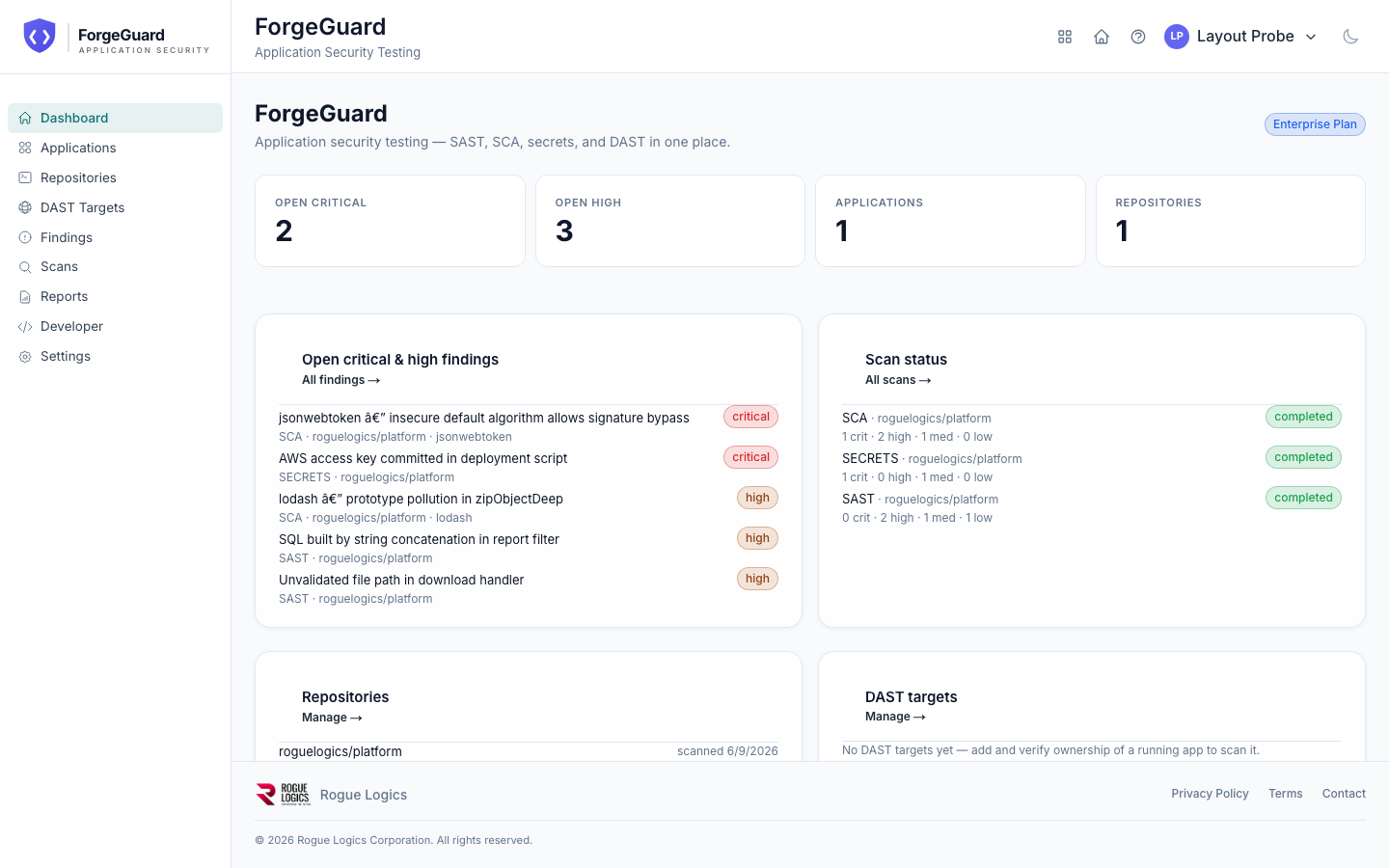
ForgeGuard — Application & dependency security Plan and setup requirements apply
The problem: Vulnerable code and dependencies reach production because nothing checks them on the way in.
Scan repositories for insecure code, vulnerable dependencies and leaked secrets, and report on what to fix first.
ForgeGuard — Application & dependency security in the product.
The release update below describes qualified workflows. The beta package does not automatically include every paid capability.
Outside the beta package or pending qualification:AI interface security, RAG and knowledge security, Agent, tool and MCP security, AI implementation and supply chain, Continuous AI assurance, Deception defence (decoys & honeytokens). These entries are not promised by the beta package; development and provider-qualification limits still apply.
Release update — plan and configuration requirements apply.
AI security with reviewable evidence
Assess authorized AI, RAG and agent sandboxes with instrumented observations. Results distinguish passed, failed, unknown and error outcomes; missing coverage is never counted as a pass.
Register systems, review evidence and send confirmed findings into connected risk and SOC workflows. ForgeGuard Pro includes 5 systems, 50 accepted runs per UTC month, 2 concurrent runs and 90 days of evidence retention. Enterprise includes 25 systems, 250 runs, 5 concurrent runs and 365 days.
Assessment allowances are included in those plans. Purchased AI generation credits are separate. Active tests require verified ownership, an approved target and explicit authorization.
Professional Services Network Status Not Verified
The problem: You need an auditor or a specialist and have no shortlist.
Find and engage vetted auditors and security specialists through the platform.
No capability in this area is available today.
What taking part in the beta means
Your access is complimentary for the beta period — there is nothing to pay and no card is held.
Anything shown as available has been checked working in production — each label comes from a dated check of that specific capability against the version running, not from marketing copy. Anything we have not checked is labelled as such rather than assumed to work.
We will ask you what works and what does not. Your feedback changes what we build next.
Behaviour, layout and packaging can change during the beta, and we will tell you when they do.
Beta account activation links and organisation-member invitation links are separate, single-use credentials. Each is valid for 7 days from issuance; using or reissuing one does not affect the other.
Known limitations, stated plainly
These are the things people ask about after they have started. We would rather you knew
them before.
Data is hosted in the United States. Other regions are not available yet.
Some capabilities need us to set them up with you rather than being self-service — they are labelled 'Limited availability'.
Anything labelled 'Coming soon' is not available to anyone today, however it is described elsewhere.
Beta access has an end date. We will contact you before it is reached, and ending your beta does not delete your account or your records.
Deleting an organisation outright is a manual step we perform on request; it is not automatic and it is not something you can trigger yourself.
There is no self-service account deletion. Deletion requests are handled by our team, by hand.
Qualifications on specific capabilities
Slack is verified against recorded provider samples, not at production scale. Message formatting and failure handling are proven; live consent and rate limits are not.
Slack receives notifications only. Nothing flows back into the platform.
GitHub is verified against recorded provider samples, not at production scale. Message formatting and failure handling are proven; live consent and rate limits are not.
Security and privacy
Sign-in is protected by multi-factor authentication, which your organisation can require for everyone.
Your data is separated from every other customer's by the organisation you belong to, and that separation is enforced on every request.
We do not sell your data, and we do not use it to train models.
Removing someone in your identity provider switches their account off here and signs them out across the suite within about a minute.
Support
Email support during UK and US business hours, from the team that builds the product. We aim to acknowledge within one business day.
There is no contractual service-level agreement during the beta, and no 24×7 response.
Email support@roguelogics.com.
If you have an invitation and cannot activate it, use the support link in that email — it
carries a reference that lets us find your invitation without you having to explain it.
Frequently asked questions
Is this the real product or a demonstration?
It is the real product. Everything labelled Implemented, Beta or Limited Availability is running in production and is what you will use. Nothing on this page is a mock-up.
What does the beta cost?
Nothing. Beta access is complimentary for the beta period, no card is held, and there is no automatic conversion to a paid plan when it ends. We will contact you before your access period is reached.
What happens to my data at the end of the beta?
Ending your beta does not delete your account or your records. If you decide not to continue we agree what happens to your data in writing before anything is removed, and removing an organisation outright is a manual step we only perform on request.
Where is my data held?
In the United States. Hosting in other regions is not available yet — if that is a requirement for you, tell us before you start.
Can I delete my account myself?
No. There is no self-service deletion. Deletion requests are handled by our team by hand, so the scope is agreed in writing first.
Do you use my data to train AI models?
No. We do not sell your data and we do not use it to train models.
Something says Planned — not available. When will it be available?
We do not give a date unless we have committed to one in writing. Planned means it is not available to anyone today, even when it is described elsewhere.
I have an invitation but cannot activate it.
Use the support link in your invitation email, or write to support@roguelogics.com. Beta account activation links are single-use and expire 7 days after issuance. Organization-member invitations are separate single-use links with their own 7-day lifetime, so the most common fix is simply that we issue the appropriate new link.
This page describes the platform in general. It never shows any customer’s
details. What your organisation has is shown under Your Access once
you sign in.
Free Compliance Tool
How Ready Are You for Compliance?
Take our free readiness assessment — get a personalized gap analysis in minutes, no commitment required.